


Thomas Hunter II
Welcome to my personal blog! I'm an international speaker, a published author, and a software engineer specializing in Node.js. I post pretty regularly on Mastodon as @tlhunter@mastodon.social, and a lot of my open source work is available on GitHub at github.com/tlhunter. I also dabble in photography.
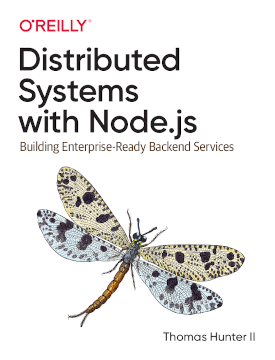
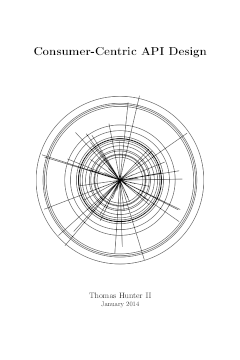
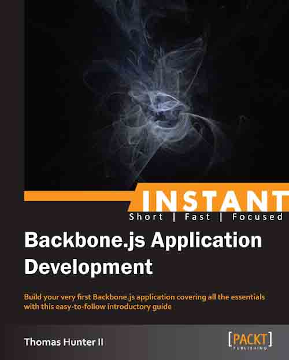
My Books
Recent Photographs



Featured
- mig: The Universal Database Migration Runner
- , 6 min read
- Node.js Modules, Packages, and SemVer
- , 8 min read
- PS2 RPI4 Part I: Restoration
- , 6 min read
- Elpizia
- , 24 min read
- On Migrating from Wordpress to Static Markdown
- , 9 min read
- Why you should avoid ORMs (with examples in Node.js)
- , 14 min read
- Redis and Node Part 1: The Basics
- , 7 min read
- HTTP API Design Part 1: Requests
- , 8 min read
- HTML5 Mobile Apps, Part 1: Development and Debugging
- , 7 min read
Everything
- A Cheap and Pocketable Camera in 2024
- , 7 min read
- Enabling English on a Japanese Panasonic Lumix GX1
- , 7 min read
- After your first 10,000 Photographs
- , 7 min read
- Repairing a Minolta X-370 Light Leak
- , 6 min read
- Getting into Photography on a Budget in 2023
- , 9 min read
- PS2 RPI4 Part IV: Conclusion
- , 5 min read
- How to file a CCPA complaint against Reddit
- , 2 min read
- Welcome to your Chat Bot
- , 11 min read
- Emulating Windows XP on Linux in 2023
- , 3 min read
- How NOT to Measure Latency by Gil Tene
- , 1 min read
- mig: The Universal Database Migration Runner
- , 6 min read
- Setting Open Graph Tags without Server Side Rendering
- , 11 min read
- Detecting if a PWA/TWA is Installed
- , 4 min read
- The Death of a Node.js Process
- , 7 min read
- Go v1.15.8 vs Node v14.15.5 Microbenchmark
- , 1 min read
- Node.js Modules, Packages, and SemVer
- , 8 min read
- PS2 RPI4 Part III: Underway
- , 5 min read
- PS2 RPI4 Part II: Internals
- , 4 min read
- PS2 RPI4 Part I: Restoration
- , 6 min read
- Elpizia
- , 24 min read
- Installing the Node.js Binary Archive on Linux
- , 1 min read
- The Apex Consumer
- , 15 min read
- Go v1.13.3 vs Node v12.12.0 Microbenchmark
- , 1 min read
- Cheap and Portable Writing Device in 2019
- , 3 min read
- Fixing the Massdrop AKG K7XX Squeak
- , 1 min read
- On using Service Workers with Static Content
- , 9 min read
- Nine Volt Daisy Chain
- , 4 min read
- Cobalt Caliber
- , 36 min read
- JavaScript Symbols: But Why?
- , 8 min read
- Node.js Task Runners: Are they right for you?
- , 8 min read
- Introducing Package Diff
- , 1 min read
- Protecting your JavaScript APIs
- , 7 min read
- Treating OpenBox like a Tiling WindowManager
- , 4 min read
- Removing gVim Right and Bottom Borders
- , 2 min read
- Common API mistakes and how to avoid them
- , 13 min read
- On Migrating from Google Analytics
- , 5 min read
- Review of the iClever Foldable Bluetooth Keyboard
- , 2 min read
- Books I'm Reading to Become a Better Writer
- , 3 min read
- Compromised npm Package: event-stream
- , 1 min read
- 17 Pounds in 44 Days: My Adventure with Keto
- , 7 min read
- On Migrating from Wordpress to Static Markdown
- , 9 min read
- The Monster in the Basement
- , 13 min read
- Why you should avoid ORMs (with examples in Node.js)
- , 14 min read
- Essential Firefox Tweaks
- , 3 min read
- JavaScript Object Type Coercion
- , 4 min read
- Advice for Technical Public Speaking: Part 3
- , 7 min read
- Advice for Technical Public Speaking: Part 2
- , 6 min read
- Advice for Technical Public Speaking: Part 1
- , 7 min read
- Go v1.10.3 vs Node v10.6.0 Microbenchmark
- , 1 min read
- Recent Concerns about Node.js Security
- , 1 min read
- Node.js and Lambda Three Part Series
- , 1 min read
- Developing Cobalt Dungeon using Phaser and Cordova
- , 11 min read
- Cobalt Dungeon Dev 01: Creating a New Room
- , 1 min read
- Cobalt Dungeon for iOS is now available
- , 1 min read
- Cobalt Dungeon for Android is now available
- , 1 min read
- Cobalt Dungeon Dev 03: FL Studio Overview
- , 1 min read
- I'm working on a mobile game called Cobalt Dungeon
- , 2 min read
- Support me on Patreon
- , 1 min read
- Twitter Plays Zork: @DemocraticZork
- , 1 min read
- Go v1.9.1 vs Node v8.9.0 Microbenchmark
- , 2 min read
- What have I been up to? Late 2017 Edition
- , 1 min read
- Is it time to replace REST with RPC?
- , 8 min read
- Refactoring a Node.js codebase using Async/Await
- , 6 min read
- Random Meetup Attendee Bookmarklet
- , 1 min read
- 2017: A Central Europe Odyssey
- , 27 min read
- Redis and Node Part 4: Lua Scripting
- , 5 min read
- Redis and Node Part 3: Atomicity with MULTI
- , 5 min read
- Redis and Node Part 2: Shared State
- , 5 min read
- Redis and Node Part 1: The Basics
- , 7 min read
- Digital Nomad: Inventory Advice
- , 7 min read
- HTTP API Design Part 4: API Standards
- , 6 min read
- HTTP API Design Part 3: Bodies
- , 4 min read
- HTTP API Design Part 2: Responses
- , 4 min read
- HTTP API Design Part 1: Requests
- , 8 min read
- Advanced Microservices
- , 2 min read
- Linux Mint Disable "Recently Used"
- , 1 min read
- A Holistic Approach to Microservices
- , 1 min read
- My Trip to Japan
- , 18 min read
- Enabling Yubikey U2F support in Linux
- , 1 min read
- Installing Linux Mint on an XPS13 (9350)
- , 3 min read
- The only bad thing about ES7 Async/Await
- , 2 min read
- Upgrading to the XPS 13 (9350)
- , 2 min read
- HTML5 Mobile Apps, Part 5: Ecosystem Opinions
- , 6 min read
- HTML5 Mobile Apps, Part 4: Live Operations
- , 3 min read
- HTML5 Mobile Apps, Part 3: Distribution
- , 6 min read
- HTML5 Mobile Apps, Part 2: Performance
- , 4 min read
- HTML5 Mobile Apps, Part 1: Development and Debugging
- , 7 min read
- Strategic Game of Life: Mobile Edition
- , 3 min read
- Upgrading Linode II: Xen to KVM
- , 1 min read
- The long road to Async/Await in JavaScript
- , 7 min read
- Tips for Building Mobile Games in HTML5
- , 13 min read
- Upgrading Linode
- , 2 min read
- Arpad: An ELO Ranking System for Node.js
- , 1 min read
- Consumer Centric API Design
- , 1 min read
- What have I been up to? Early 2014 Edition
- , 3 min read
- Principles of good RESTful API Design
- , 16 min read
- Only Push/Pull Current GIT Branch
- , 1 min read
- Remove OpenDNS from Linux Mint
- , 1 min read
- Enable Emoji fonts on Debian / Ubuntu / Mint Linux
- , 1 min read
- Border Patrol Saga
- , 5 min read
- Cheating at Cookie Clicker
- , 1 min read
- Recursively download website files using WGET
- , 1 min read
- Instant Backbone.js Application Development
- , 1 min read
- Book Review: Hands-on Testing with PHPUnit How-to
- , 2 min read
- Installing Redis on Debian as a Service
- , 2 min read
- Fixing Homebrew
- , 1 min read
- SSH into a machine with a dynamic IP
- , 1 min read
- Setting up a Security Camera for a Linux Webcam
- , 1 min read
- Track IP Address using DD-WRT + CRON + WGET
- , 1 min read
- Safely Parse Complex Objects and Arrays in PHP
- , 1 min read
- WordPress GET Variables with lighttpd
- , 3 min read
- The JavaScript Event Loop [Presentation]
- , 10 min read
- How to "Burn" an ISO to a USB drive in OS X
- , 2 min read
- Lansing Startup Weekend
- , 2 min read
- SleekMVC, my PHP Framework, gets Routing support
- , 1 min read
- Enable PHP Mail on OS X Mountain Lion
- , 2 min read
- GeoLocation based Communication with Node.js, Redis
- , 2 min read
- What WordPress 4.x Could Be
- , 6 min read
- I turned on a light
- , 2 min read
- Node App Inspired by Daniel Suarez' Book Daemon
- , 1 min read
- Wacom Bamboo Splash Review
- , 4 min read
- Subdomains and Google Apps with Gandi and Linode
- , 4 min read
- Client-Side Terrain Tile Representation Algorithm
- , 4 min read
- A Better Debian SSH Login Message
- , 2 min read
- Transitioning from MediaTemple to Linode
- , 2 min read
- Install Node.js on Debian 6
- , 1 min read
- Visual Git History Log in Terminal Window
- , 1 min read
- Using authbind with Node.js
- , 1 min read
- Fun Timing Game in Canvas
- , 1 min read
- Respond to JSON or XML requests from a Node.js API
- , 2 min read
- Drop Root Privileges in Node.js
- , 2 min read
- The Upcoming Parallel Digital Universe
- , 3 min read
- All Hands Active Board Member
- , 1 min read
- Configurable Object to XML Converter for Node.js
- , 1 min read
- GitHub Connection Timed Out
- , 1 min read
- CouchDB and PHP Web Development
- , 7 min read
- Node.js Convert JSON to XML, Pluralize
- , 2 min read
- Backup External Music Collection using Rsync
- , 2 min read
- Fixing ApacheBench on OS X Lion
- , 2 min read
- Review of OpenShift Node.js Support
- , 4 min read
- Raspberry Pi with Tons of Hardware
- , 2 min read
- Cobalt Calibur 3 Open Source
- , 1 min read
- Copying OpenIndiana Image onto USB in OS X
- , 3 min read
- My First Arduino Project
- , 1 min read
- Code School Review
- , 6 min read
- Series or Parallel Power-Source Switch
- , 1 min read
- Extended Pigpen Cipher to Include Numbers
- , 2 min read
- Auto Mount External Drives in Debian
- , 1 min read
- Per-User Password Hashing Algorithms
- , 2 min read
- Recursively Delete Files by Extension
- , 1 min read
- Recursively convert OGGs to MP3s
- , 1 min read
- Node.js GPS Module
- , 1 min read
- A Primer on Web Caching
- , 6 min read
- The Future of Augmented Reality
- , 4 min read
- PHP + Apache Stack vs Node.js
- , 8 min read
- OS X Wireless Control from the CLI
- , 1 min read
- Scan for Computers on Local Network with Nmap
- , 1 min read
- SSHing into Arch Linux Raspberry Pi
- , 1 min read
- Updating Pacman on the Raspberry Pi
- , 2 min read
- Linux CLI apps should have a --json flag
- , 5 min read
- Gracefully Kill Node.js App from Ctrl+C
- , 1 min read
- Move special OS X user folders to external drive
- , 2 min read
- Determine Wireless Encryption Type
- , 1 min read
- Express.js Pass-Through Directory
- , 1 min read
- Bad Mount Point Input/Output Error
- , 1 min read
- MacBook Pro with SSD and Hard Drive
- , 1 min read
- Git SSL Errors
- , 1 min read
- NPM SSL Errors
- , 3 min read
- Settling In to a New Mac
- , 1 min read
- Female Voice using eSpeak
- , 1 min read
- Know your Wireless Cards!
- , 1 min read
- Speech Synthesis and Bluetooth with Node.js
- , 1 min read
- Suppressing SSH MOTD Messages
- , 1 min read
- Re-Map Caps Lock key to Esc in OS X
- , 2 min read
- Why Android should switch to Go
- , 3 min read
- NERF Gun Laser Instructions
- , 1 min read
- Node.js Robotics Software Suite
- , 2 min read
- RedBubble Poor Product Quality
- , 2 min read
- Creating Self Executable PHP Scripts
- , 2 min read
- Open Sourcing Facebook App, Squirrelify
- , 1 min read
- Open Sourcing EVE Crawler
- , 2 min read
- Cobalt Calibur: Roadmap
- , 2 min read
- Ignore SSL Errors with NPM Node Package Manager
- , 1 min read
- Pitfalls when Renaming your GitHub Account
- , 3 min read
- Using .htaccess to Prevent www Subdomain
- , 1 min read
- Global gitignore vs repository gitignore
- , 2 min read
- Modded Laser NERF Gun
- , 1 min read
- Building a Really Simple Node.js Module
- , 1 min read
- Linux Force Dismount
- , 1 min read
- Moving Content to a new Domain and Keeping SEO
- , 1 min read
- Hiding Files and Folders in OS X Finder
- , 1 min read
- Open Source AJAX Game Engine
- , 1 min read
- Tracking Backbone.js "Page Views" with Mixpanel
- , 1 min read
- The Shark Fin Conjecture
- , 1 min read
- Why the MPAA and RIAA will soon be gone
- , 4 min read
- Xpath Expressions Explained
- , 2 min read
- Tech Startup Entrepreneur Books
- , 3 min read
- Force or Prevent WWW subdomain with lighttpd
- , 1 min read
- Tumblr-like Template Syntax PHP Library
- , 2 min read
- Really simple SSH proxy (SOCKS5)
- , 3 min read
- Using Swipes in MacVIM in OS X
- , 1 min read
- Simple PHP Namespace Friendly Autoloader Class
- , 1 min read
- Building Custom OS X Dashboard Widgets
- , 5 min read
- How to login via SSH Without a Password
- , 2 min read
- Delay command execution in X-Chat
- , 1 min read
- Submitting Multi-Dimensional Array Data to PHP
- , 2 min read
- lighttpd configuration to redirect subdomains
- , 1 min read
- MySQL REPLACE vs INSERT ON DUPLICATE KEY UPDATE
- , 2 min read
- Apache2 Outperforming lighttpd 1.5
- , 5 min read
- Installing lighttpd on Ubuntu 10.04
- , 2 min read
- PHP / MySQL Web Application Migration Steps
- , 8 min read
- Time Differences between PHP and MySQL
- , 1 min read
- Dynamic Form Actions using Different Buttons
- , 1 min read
- Read GET URL variables using JavaScript
- , 1 min read
- Zend Certified Engineer (ZCE) Study Guide Links
- , 2 min read
- PHP cURL cookies not saving on Windows
- , 2 min read
- Convert ASCII to UTF-8 using VBA
- , 1 min read
- Web Spidering with PHP
- , 4 min read
- FL Studio Piano Roll Tutorial
- , 2 min read
- FL Studio Comprehensive Mixer Interface Overview
- , 3 min read
- FL Studio Automations
- , 3 min read
- FL Studio Interface Overview
- , 2 min read
- Preloading CSS Hover Images
- , 1 min read
- Simple AJAX
- , 2 min read
- Password Encryption, Hashing, Salting Explained
- , 5 min read
- Create Windows Vista like buttons using Photoshop
- , 2 min read
- Web Image Formats Size and Quality Comparison
- , 3 min read
- Creating Seamless Textures using Photoshop
- , 2 min read
- Introduction to Photoshop Blending Options
- , 3 min read
- CSS Image Button Rollovers
- , 3 min read
- Database Administration using phpMyAdmin
- , 5 min read
- Free Notepad++ Web Developers Theme
- , 2 min read
- Pagerank and higher search engine rankings explained
- , 4 min read
- Change PHP Timezones
- , 7 min read
- Setting up VHOSTS using XAMPP/Apache in Windows
- , 3 min read
- Changing MySQL Default Character Sets
- , 1 min read
- Generating Password Protected ZIP Files using PHP
- , 1 min read
- MySQL Fulltext Search Ignored Words
- , 3 min read
- Data Hiding in a Word Document
- , 2 min read
- PHP Navigation System using Single Entry Point
- , 5 min read
- Search Engine Friendly Exit Counter
- , 2 min read
- Clean user data using PHP and Regular Expressions
- , 2 min read
